The journey of software development is a fascinating tale of innovation, creativity, and technological advancement. I started learning how to code in the late 80s as a kid with languages such as Pascal and Clipper, later came C and assembly. When my high school introduced a computer science class to teach Basic language, I already had years of experience under my belt.
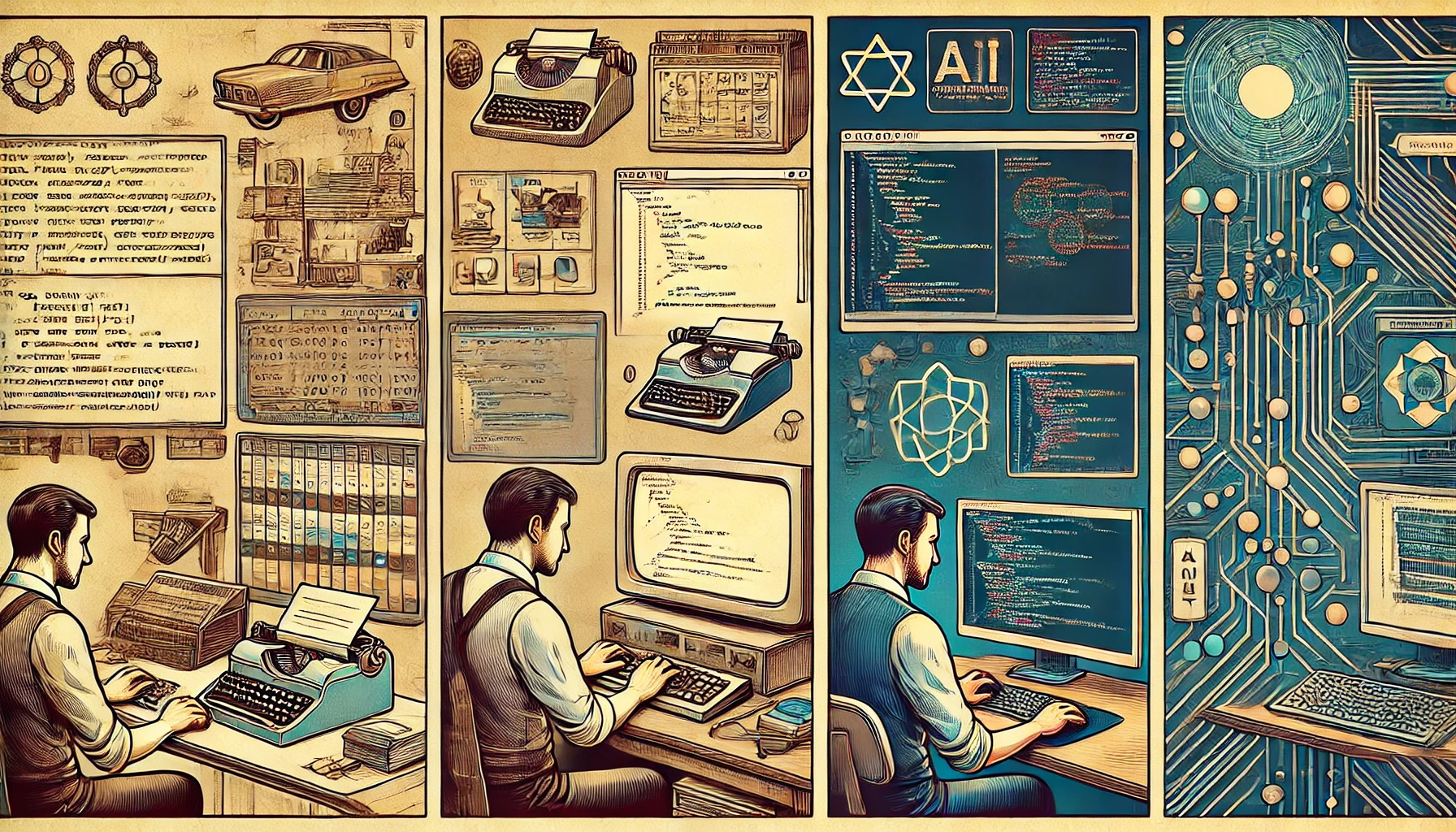
I had the privilege of witnessing and participating in this evolution, which can be broadly categorized into three distinct stages: the initial development phase, the composition phase, and the current era of AI-generated software. Each stage not only marks a leap in how software is created but also brings its own set of security implications. Let’s explore them in detail.
Stage 1: The Birth of Software Development
Development Phase
In the early days of computing, software development was a meticulous and manual process. Developers wrote code line by line in low-level programming languages like Assembly and later in high-level languages such as Fortran, COBOL and C/C++. This era was characterized by a hands-on approach where every function, algorithm, and data structure had to be explicitly defined by the programmer. All the code was written from scratch.
Security Implications
- Vulnerability to Human Error: Manual coding was highly prone to human errors, which often led to bugs and security vulnerabilities. Simple mistakes like buffer overflows or improper input validation could compromise the security of the entire system.
- Lack of Standardized Security Practices: In the infancy of software development, there were few established security protocols. Developers focused more on functionality than on safeguarding against potential threats, leaving many early systems exposed to basic exploits.
- Reactive Security Measures: Security measures were mostly reactive. Patches and fixes were applied after vulnerabilities were discovered, which often meant that systems were left vulnerable for extended periods.
Security Questions:
- Who introduced the bug?
- When was the bug introduced?
- How was detected?
- What can be done to prevent it?
Bug Rate: x1 – bugs in code were introduced by developers.
Stage 2: The Composition Era
Composition Phase
As software systems grew more complex, the industry shifted towards a compositional approach. This phase saw the rise of modular programming, libraries, frameworks, and APIs. Developers could now leverage pre-existing components and services to build applications more efficiently. By compositing a project, the building time decreases.
Security Implications
- Dependency Management: The reliance on third-party libraries and frameworks introduced new security challenges. Vulnerabilities in these dependencies could propagate to the applications using them, necessitating robust dependency management and regular updates.
- Standardization of Security Practices: With the maturation of software development, standardized security practices began to emerge. Concepts like secure coding guidelines, code reviews, and penetration testing became integral parts of the development lifecycle.
- Enhanced Security Tools: The composition era also brought about advanced security tools and practices, such as static and dynamic analysis, to identify vulnerabilities early in the development process.
Security Questions:
- Where are the bugs coming from: developers or third-party components?
- Are all third-party components identified?
- Are all third-party components updated?
- What process and tools are in place to prevent or mitigate bugs?
Bug Rate: x2 – Bugs are introduced by developers and third-party components.
Stage 3: The AI-Generated Software Era
AI-Generated Software
We are now entering an era where artificial intelligence (AI) plays a significant role in software creation. AI and machine learning models can generate code, suggest improvements, and even autonomously develop entire applications. This evolution is driven by advancements in natural language processing (NLP) and the availability of vast amounts of training data.
The use of AI to generate code drastically decreases developing timeframes and developers needed. An explosion of software created by no-developers and layoff of technical people is coming.
Security Implications
- Automated Vulnerability Detection: AI can significantly enhance security by automating vulnerability detection and remediation. Machine learning models can analyze vast codebases and identify potential security flaws much faster than human developers.
- Sophisticated Threats and Defenses: As AI becomes more prevalent in software development, it also becomes a tool for attackers. AI-driven attacks can adapt and evolve, making traditional security measures less effective. However, AI can also be used defensively to predict and counteract these sophisticated threats.
- Ethical and Compliance Concerns: AI-generated software raises questions about accountability and compliance. Ensuring that AI systems adhere to ethical standards and regulatory requirements is crucial. Additionally, there is a need for transparency in how AI models make decisions to avoid introducing unintentional biases or vulnerabilities.
Security Questions:
- Where are the bugs coming from: developers, third-party or AI?
- How is proprietary code protected when working with AI? Submitting proprietary code to AI can be a company privacy violation.
- Who is responsible for a security bug?
- Can a company blame it on an AI emitted code?
- Do processes and tools address all code origins: developers, third-party and AI?
Bug Rate: x3 – In this stage bugs can be introduced by developers, third-party components and AI emitted code.
Conclusion
The evolution of software development from manual coding to AI-generated solutions has dramatically transformed the industry. Each stage has introduced new efficiencies and capabilities but also brought about distinct security challenges. As we continue to embrace AI in software creation, it is imperative to adopt robust security practices that evolve alongside technological advancements. By doing so, we can harness the full potential of AI while safeguarding against emerging threats and ensuring the integrity and security of our software systems.
Reflecting on my journey through these stages, I’m excited about the future of software development and the possibilities that AI brings. But we must remain vigilant and proactive in addressing the new security challenges that come with it, AppSec is evolving.
–SRF